Help · Workshop tools
Lathe
The lathe turns a part around one of its axes to a profile you draw: table legs, balusters, knobs, round tenons. With nothing selected, it makes a new turned part.
Turn a part
- Turn on ☰ → Advanced tools, select the part and press Lathe on the toolbar at the top left of the scene.
- The part is clamped along its longest axis, shown on the scene. The window opens full screen with a side view: across is the length along the axis from the end of the part, up is the radius.
- Draw the half of the profile above the axis. Gray is the blank; what is inside the profile stays.
- Press Apply.
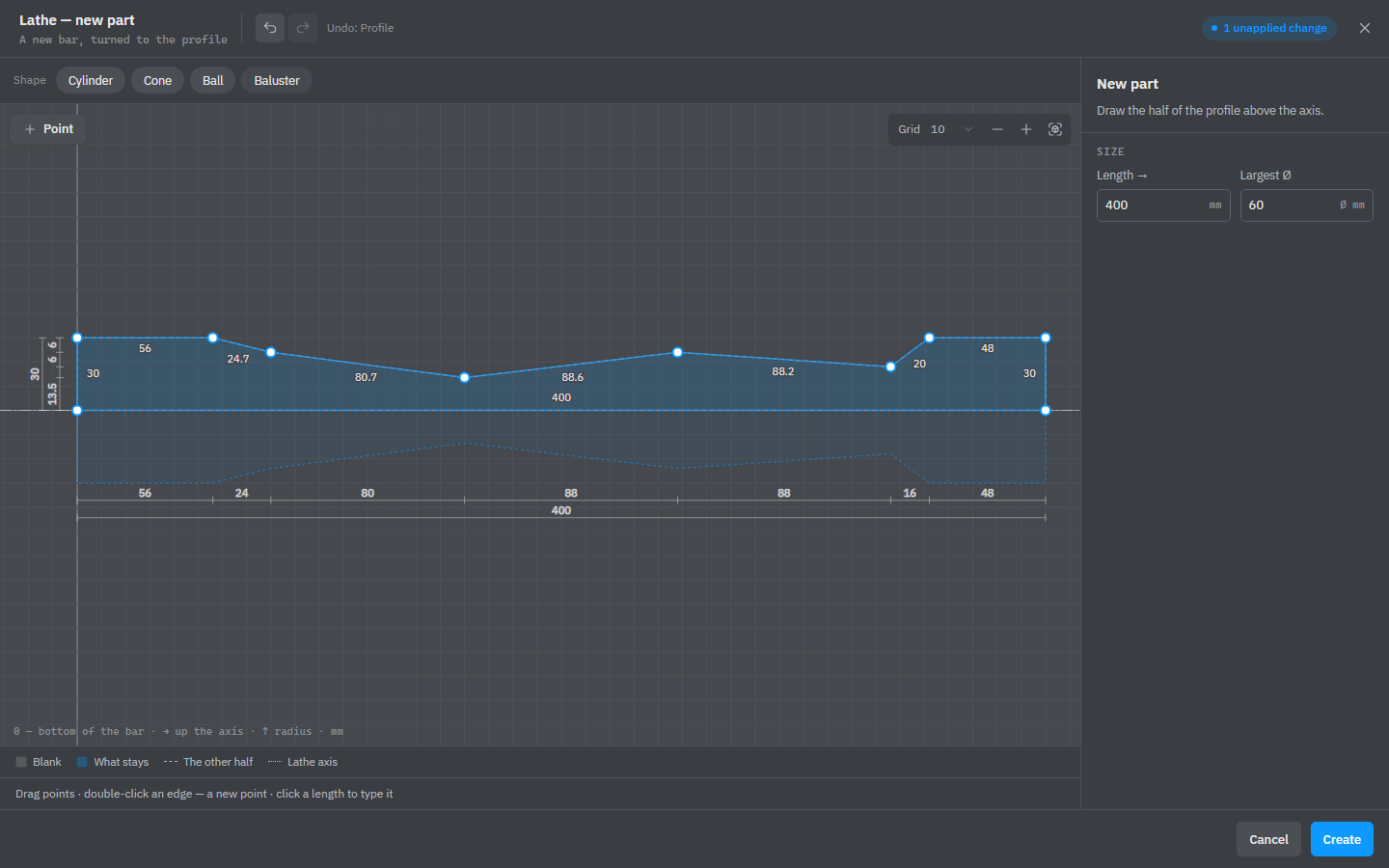
The window
- Above the drawing are ready profiles of the same length and largest radius: Cylinder, Cone, Ball and Baluster.
- Drag the points of the profile. A double-click on an edge adds a point, Del removes the selected one, and Point adds one after it. The point card has its place (Along axis, radius), Corner radius and Edge bend, which turns the edge to the next point into an arc. Points stick to the grid; hold Alt to place them freely.
- Lathe axis — X, Y or Z: the part turns around this axis, and → on the drawing runs along it from the end of the part.
- Size — Length → and Largest Ø stretch the whole profile to the size you type.
- The legend shows the Blank, What stays, The other half (dashed, under the axis) and the Lathe axis.
Undo and redo in the title line step through your changes in the window. Cancel drops them; closing with × or Esc asks first.
Formulas in the profile
Point fields take formulas of the blank’s L, W and T: =L is the full length, =T/2-5 a radius 5 mm under half the thickness. They are worked out again every time the part is rebuilt, from the size of the blank — the part as it was before any operation. When the profile has formulas, Length → and Largest Ø only show the size: change the points instead.
One turning per part
A part has one turning. Pressing Lathe on a turned part opens that turning for changes, and so does clicking its Lathe row in the Operations block. Choosing another axis there turns the same profile around that axis. Delete next to Turning in the window removes the turning from the part.
The turning stretches with the part along all its axes. It has no repeat and no stretching setting.
A new profile that goes down to Ø0 between its ends cuts the part into pieces, like the saw: each piece becomes a part of its own. A change to an existing turning can’t do that.
Make a new turned part
With nothing selected, press Lathe: the window opens as Lathe — new part. Draw the profile and press Create. The part is turned from an upright bar as long as the profile and as thick as its largest diameter, standing on the floor. From then on it is an ordinary turned part: the turning is in its Operations list, and you can change or stretch it.
Groups, locked shapes and copies of a project part can’t go on the lathe.
See also: How operations work, Mill, Variables and formulas, Sheets, profiles and shapes.