Help · Parametric model
Repeat
Repeat makes copies by a rule instead of by hand: a row of shelves, the posts of a gazebo in a circle, a mirrored side, a line of shelf-pin holes. Change the original or the rule, and all the copies follow.
Kinds of repeat
- Line — each copy moves by the step. A step along two axes at once makes stairs. Mirror to the other side adds the same row mirrored from the middle.
- Circle — copies turn around an axis. Angle, ° is the total angle: 360 is a full circle with the copies evenly spaced; a smaller angle goes from the first copy to the last.
- Mirror — one mirrored copy across an axis.
- Off — no repeat.
Copies counts the original too: 4 means the original and three copies.
Repeat an object
The Repeat block is in Properties of a part or group, with Advanced tools on (☰ → Advanced tools).
- Select the part or group, for example a shelf inside a cabinet.
- Open Repeat and choose Line, Circle or Mirror.
- Fill in Copies and the Step along X, Y or Z, or the axis, angle and Centre for a circle, or the axis and Mirror at for a mirror.
- The axes are those of the group the object is in.
- Centre and Mirror at left empty mean the middle of the rest of the group: a mirrored side lands on the other side of the cabinet.
- As many as fit (for a line) fills the group: copies go on until the first part in the way or the edge of the group, and their number follows when the group stretches. Copies then only shows how many fit.
- Fields take numbers or formulas of the object's own size
X,Y,Z(L,W,T) and of its group's sizeparent.X,parent.Y,parent.Z, plus project variables. For example, a step of=parent.Y/4spaces shelves evenly however tall the cabinet is.
Copies are exact copies of the original. You can't select or change a copy on its own: change the original and every copy follows. Copies go into the cutting maps, the parts list and the drawings like any other part.
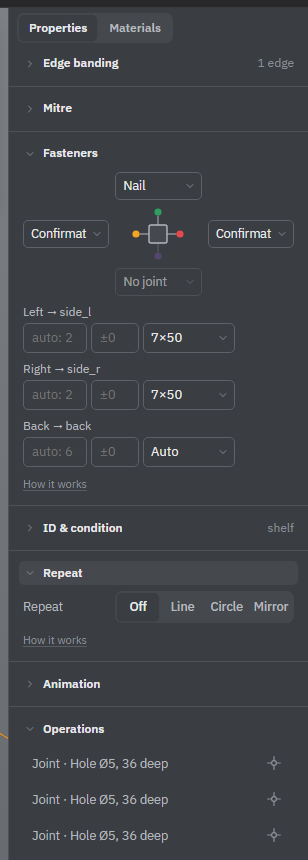
Repeat an operation
A saw cut, a drill hole, a milled line or pocket, and a merge or subtract can repeat inside the part. The settings are in the tool's own window, in the folded Repeat section. It opens by itself when the operation already repeats.
- In the saw, drill and merge or subtract windows, the kinds and fields are the same as for objects. Step, centre and mirror plane go along the part's own axes X, Y, Z, measured from its corner; empty means the middle. A new line starts with a 32 mm step.
- In the mill window, repeat speaks the language of the drawing: Count, Step and Along one of the drawing's directions; Mirror to the other side puts the same row at the opposite edge (or Mirror to the other end, from the other end).
- The lathe has no repeat: a part has one turned profile.
Repeat fields take formulas of the part's length, width and thickness L, W, T, its group parent.X and project variables. For a row of shelf-pin holes 32 mm apart with 37 mm left at each end, set Copies to =floor((L-74)/32)+1: stretch the side panel and the row grows by itself.
When the part is stretched
Every operation also decides what it does when its part gets longer or wider. In the saw, drill and merge or subtract windows this is When stretched at the bottom of the Repeat section, one choice per axis X, Y, Z, with Advanced tools on. The mill window has When the part is stretched, with the same choices in words of the drawing, such as Stay in the middle.
- Auto decides by where the operation is: near an edge it keeps its distance to that edge, in the middle it stays in the middle, and over the whole length it stretches with the part. The choice is made at the first stretch and kept, so stretching back returns the operation exactly. Changing the operation by hand makes it decide again.
- To start or To end keeps the distance to that end of the axis, like a hole 37 mm from an end.
- Middle stays in the middle.
- Stretches grows with the part, like a groove along its whole length.
See also: Variables and formulas, How operations work, Drill, Mill.